
Epsilis Web Design
T: 01279 295546
E: joseph@epsilis.co.uk
WordPress is built around the basic concepts of Posts and Pages.
PAGES = Normal static web pages.
POSTS = Pages that get grouped together in lists, such as News articles, Blog posts etc and are usually date-based.
Standard WordPress Posts and Pages are very similar; in fact they are both Posts technically so when referring to Posts in this manual I could easily be talking about both or either.
CUSTOM POST TYPES = These are specialised POSTS created for a specific purpose and create structured content types. They allow us to organize content separately from the standard “Posts” and “Pages.” PRODUCTS are a common example of these and are created by the WOOCOMMERCE plugin but they could be anything and could be custom-created for a site. Most sites will not need these.
Posts or Pages?
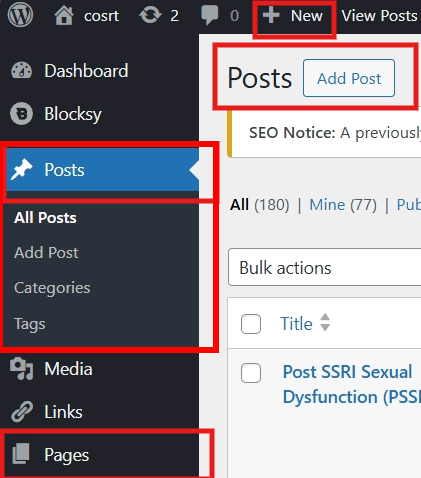
Posts are list and time-based and can be grouped by Categories (and categories within categories). They are often displayed dynamically in lists or grids. (They can be displayed within a Page, with other content or on their own.)
Pages are static web pages. They can be hierarchical so there can be Parent and Child pages to provide a structure which would be reflected in the URL and in Breadcrumbs as seen in the top of this page.
Note: It is not easy to change a Post to a Page or visa-versa so if you are creating a new Post or Page make sure you start in the right place. By default WordPress chooses POST.
Need to show posts and pages lists and edit button when you are viewing a post or page